Bring sanitized sample data
Use made-up rows, or a few real rows with anything sensitive removed.

Design a report template once from a sample, then load each new CSV on your own computer. One file that works offline, and your real CSV is never uploaded.
Free for 14 days. Start from a sample template in your browser, nothing to upload. Downloads come with a plan.
Free for 14 days in your browser. Nothing to upload, nothing to install.
Compensation report
Management and the HR team
Management: Why does the compensation report take so long?
HR: The HR system export needs cleaning before I can use it, then I rebuild the charts and formatting. It takes me a few days.
Management: Could someone else on the team take it while you’re away?
HR: They could, but they’d need a walkthrough first. The workbook has a lot of steps I’ve worked out over time.
Management: The last report looked different from this one. Which one is right?
HR: Sorry, that’s on me. There are a couple of versions of the workbook around and the layout has drifted. I’ll check which one is current.
Management: By the time I read the numbers, they’re already stale. And the leadership team sees this file too. If a figure is wrong, that’s on us.
HR: I know. I check every figure by hand before it goes out, which is part of why it takes so long.
Management: Can we put it in a tool that builds it for us? Or ask IT?
HR: It’s individual salaries and bonuses, which are personal data. If it leaks after we upload it to the cloud, that’s a data protection problem and we’d be the ones answering for it. And IT is booked up for weeks.
Management: Hmm. There has to be a better way.
Management: Is the report ready yet?
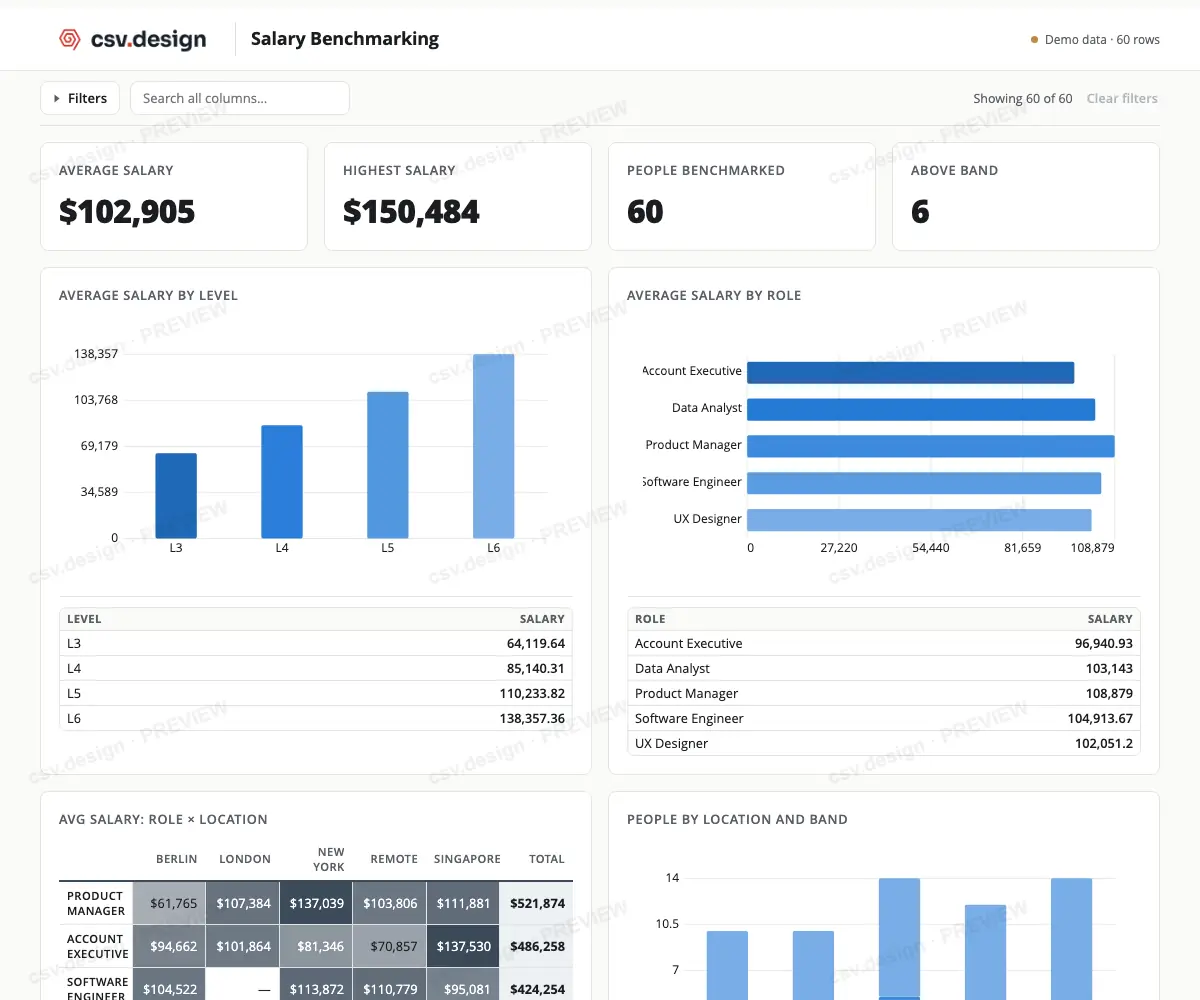
HR: Nearly. I loaded the new CSV into our template and the layout, charts and tables were already there. I’m spending the time checking the figures.
Management: Does it look the same as the last one?
HR: Every time. The template holds the layout, charts, tables and calculation definitions, so a new colleague loads the CSV and gets the same report.
Management: Did you need IT for this?
HR: No. It’s one HTML file with no install and no server. When we wanted a new chart, I added it to the template myself in the online editor, and every report since has it.
Management: And the salary data? Did it go to another vendor?
HR: No. The CSV was loaded in the template on my own computer, and the template doesn’t send it back. I decide where it lives.
Management: How do I know a figure is right?
HR: You can check. The PDF includes all the records that make up the report. And I keep the HTML file, where I can click any figure and trace it back to the data.
Management: Good. Let’s do it this way from now on.
How it works
Bring sanitized sample data, design your template, then download it. Load a matching CSV and the dashboard fills in.
Use made-up rows, or a few real rows with anything sensitive removed.
Add the cards and charts you need, name them, and arrange the report your way.
Open it in a browser and load your actual CSV to create the finished dashboard.
Why not a cloud dashboard tool?
Only the sample you design with goes online. Every real CSV is loaded into the downloaded template on your own computer, and the template sends nothing back.
| Topic | A cloud dashboard tool | A csv.design template |
|---|---|---|
| Where your data goes | Uploaded to the vendor’s servers every cycle. | Loaded into a file on your computer. Only a sanitized sample goes online, once, to design the template. |
| Who can read it | The vendor, and anyone with an account. | Whoever you give the file and the CSV to. |
| What IT must approve | A new service holding personal data. | One HTML file they can scan, no install. |
| Works offline | No. | Yes. The file makes no requests. |
| When you stop paying | Access ends. | Downloaded templates never expire. |
Tell us how long one rebuild takes. We’ll show when a template starts to pay for itself.
Your numbers
These are example numbers. Put in your own to see your break-even.
Break-even
About 2 months
For the Single Plan to cost less than your rebuilding time. After that, each month it stays off your plate is value you keep.
Red is the value of your rebuilding time, spread evenly across the year, from your own numbers. Green is what you pay once. A template only helps if rebuilding stops being the slow part; you still load each CSV and check your figures yourself.
Tracking inventory, orders, projects or something else? Any CSV export works the same way: design a template from sanitized sample data, then load each new CSV on your own computer.
Straight answers
The template holds the layout and the calculations. You keep the data, and you stay responsible for it.
Checking stays with you. The template applies its calculations to whatever CSV you load.
The dashboard shows the CSV you load. Which export you use, and when, is your call.
They stay yours to store, protect and share carefully.
Simple ownership
Every new CSV loads into a file you own. A month of Editor, the online designer, is included to build your template, and the downloaded template keeps working without it.
